NeonCity — Hand-Tracking VR City Builder
NeonCity is a VR city-building sandbox created by a 29-person USC Games team. I served as UI/UX Lead. Built with hand tracking, OpenXR, and Unity, it lets players build a neon city with their hands and switch between miniature planning and 1:1 exploration. The project was shown at USC Games Expo 2023 and released on the Meta Store.
Players grab, move, and combine building modules directly with their hands. As the city grows, houses, shops, offices, apartments, museums, parks, residents, and environmental feedback unlock.
The core experience connects block-based creation, city planning, and entering the city itself. Players can edit a miniature city from above, then scale it to 1:1 and walk through the streets they built. Retro-futurist, synthwave-inspired visuals reinforce the hand-built neon world.
My Role | UI/UX Lead
I led the VR control panel and the player experience across the city-building flow.
The early version used hand controllers. Testing showed that complex button mappings raised the learning curve and weakened the feeling of directly manipulating space. After joining, I moved the core interaction toward hand tracking and reframed selection, placement, adjustment, and state switching as spatial actions players could understand through their hands.
My focus was to define a new VR city-editing language: what the hands can do, where panels should appear without blocking the city, and how selection, grabbing, scaling, confirmation, and scale switching can feel continuous.
Working with game design, engineering, art, and usability research teammates, I turned this into an interaction system: gestures for editing, spatial prompts for state, and UI timing based on gaze, hand position, and city scale. NeonCity's UI/UX became the medium for understanding rules, controlling the city, and entering the built space.
Project Highlights
01 | From Controller Operations to Natural Gestures
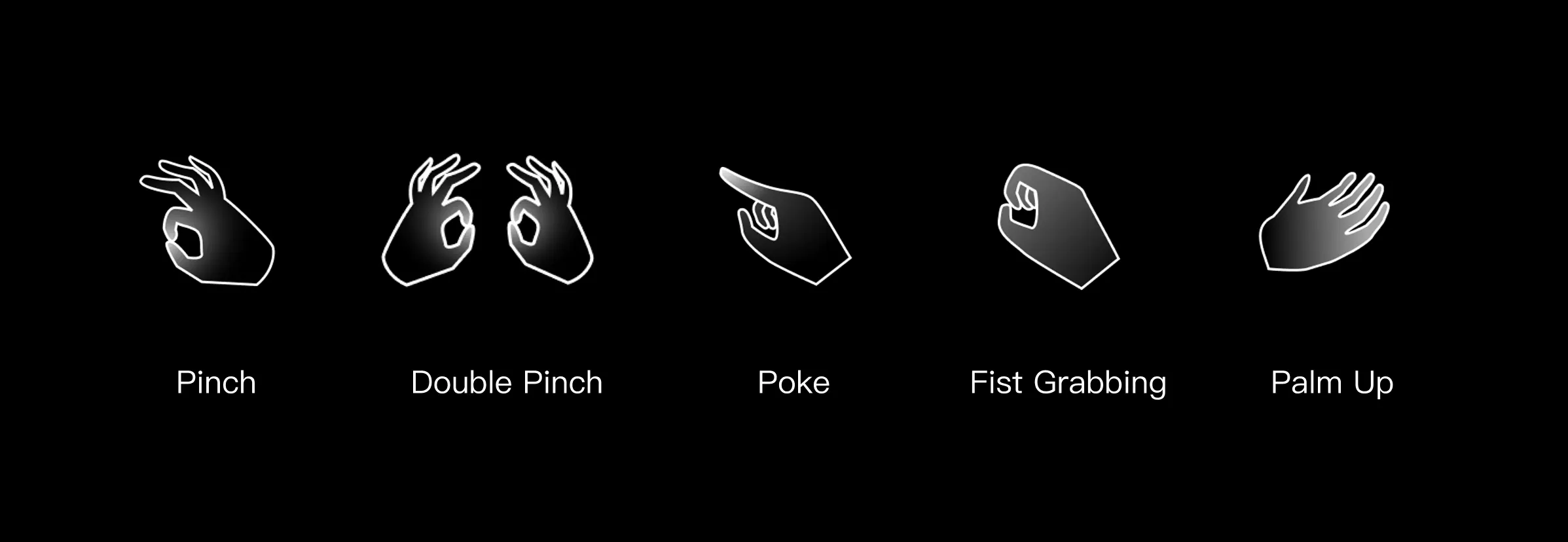
This part focused on frequent actions: raising the palm to open the menu, grabbing buildings with one or two hands, and using double pinch for precise selection and confirmation. The goal was to keep gestures close to real actions, so first-time players could turn "move this building" into "reach out and grab it."
02 | From Open-ended Gestures to Clear Editing Feedback
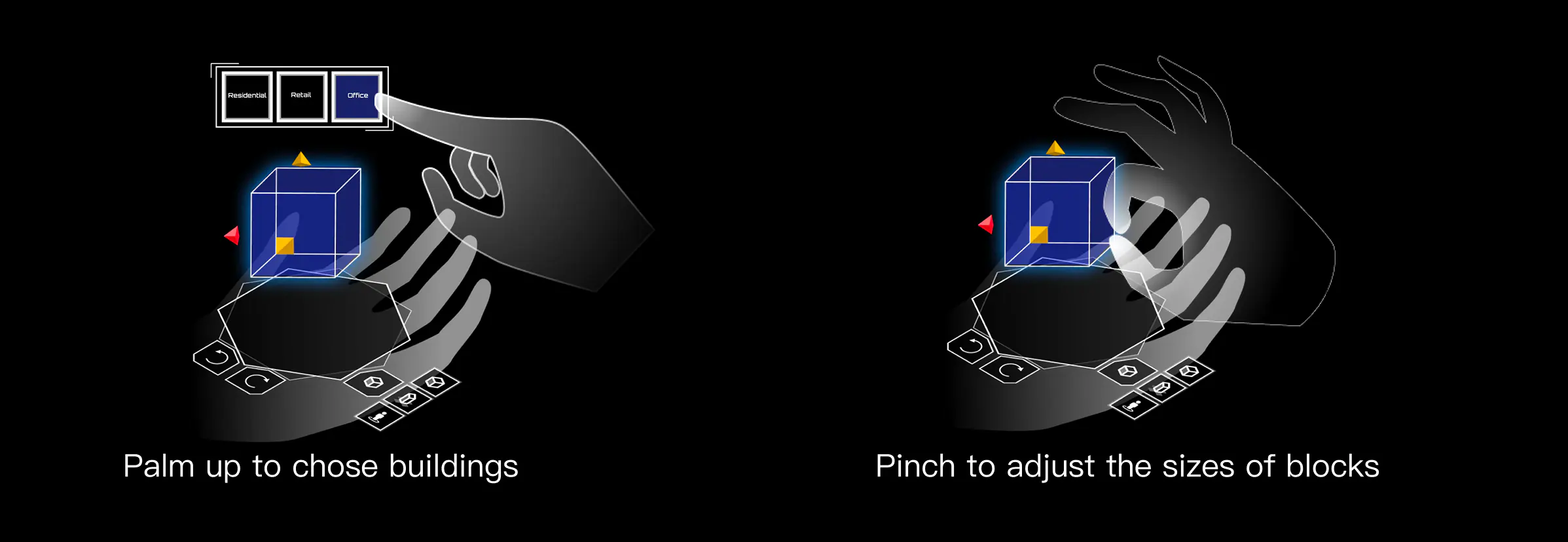
With hand tracking, players lose the tactile confirmation of physical buttons, so feedback becomes critical. I designed clearer prompts for selection, grabbing, scaling, placement, and confirmation, helping players understand whether a building is selected, placeable, resizing, or confirmed.
The point was to connect gestures, building states, and editing results through immediate feedback, keeping continuous construction stable without controllers.
03 | Miniature Models, Real Scale, and Spatial UI
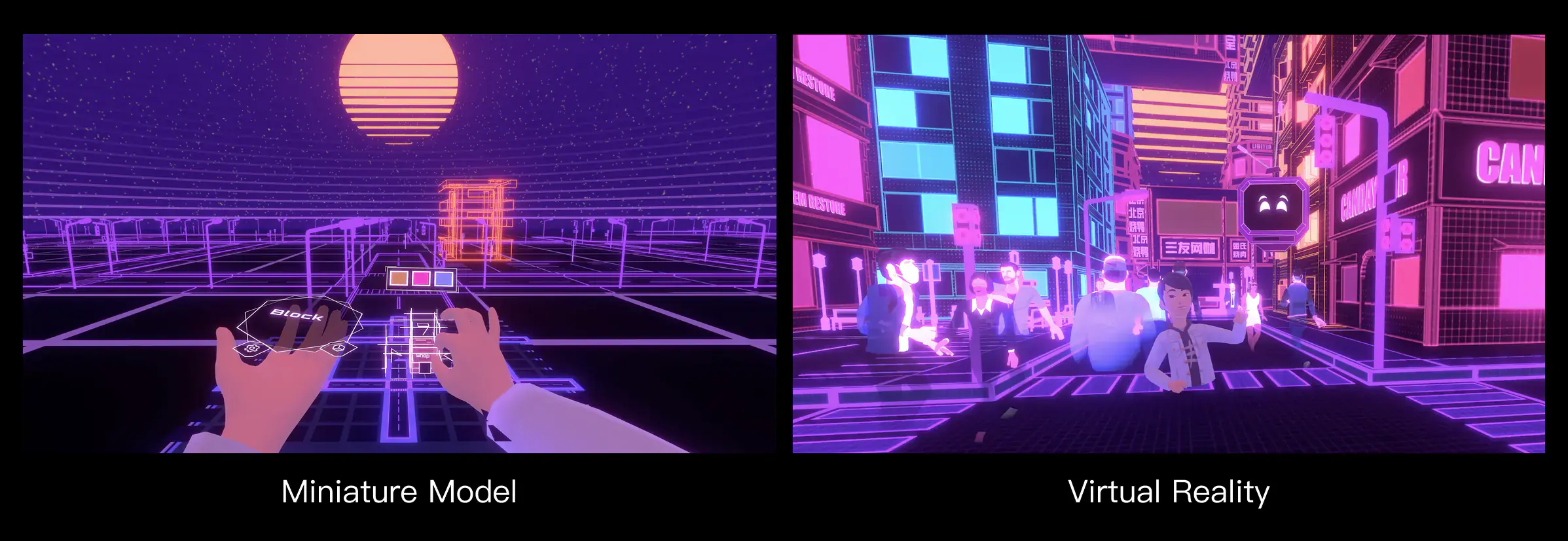
Players can observe and edit the whole city from above like planners, then switch to 1:1 scale and enter the streets they designed. This shift links city planning with spatial experience and distinguishes NeonCity from traditional city simulation games.
It also led me to think about UI through spatial relationships instead of fixed screens. Information needed to respond to body position, gaze, hand movement, and city scale, appearing at the right place and moment.
04 | Playtesting and Interaction Iteration
Across multiple playtests, I focused on first-time hand-tracking friction: whether players found the palm menu, recognized selection/grab/scale/place states, and completed continuous construction without button prompts.
The main issue was often not the gesture itself, but uncertainty about whether the system had recognized it. Based on this, I strengthened state feedback, adjusted panel positions, reduced model occlusion, and clarified feedback for selection, resizing, and placement.
Project Value and Reflection
NeonCity was my first large-scale student project and my first experience working in a team close to a real game production process. I worked with game design, engineering, art, and usability research teammates to turn a complex VR concept into something players could actually experience.
As UI/UX Lead, I went beyond drawing interfaces. I defined how players understand rules, use both hands, switch between miniature and real scale, and how the team could implement those experiences. I often translated playtest problems into design changes, and design intent into plans that engineering and art could execute.
This experience helped me understand that UI/UX in immersive media is not an interface placed over a scene. It is an experience structure that connects players, space, systems, and team collaboration.